SpinPkr Game Login
Signing into SpinPkr usually takes just a few seconds. Now and then, though, the OTP drags or the password slips your mind – it happens to everyone.
Table of Contents
So here’s the full picture – how to sign in, recovering a password, sorting out common errors, and keeping your account safe. Want the games and payment details first? Take a look at the SpinPkr home page.
The Quick Basics
| Item | Detail |
|---|---|
| Log In With | Registered mobile number + password |
| OTP Login | A one-time SMS code in place of a password |
| Lost Password | Reset it from the sign-in screen using an OTP |
| Transaction Password | A separate password just for withdrawals |
| Use On | The app, or any browser on PC and iPhone |
| Duration | Under a minute, as a rule |
| Support | 24/7 in-app chat |
Why Logging In Matters
Signing in is more than a formality – it’s the door to your whole account. Get through it and you’ve got:
- Your PKR wallet – your balance, winnings, and any bonus money.
- Every game – Aviator, slots, cards, fishing, and live tables.
- Deposits and withdrawals – move money via JazzCash or Easypaisa.
- Daily bonuses – the login rewards tied to your account.
- Referral and VIP – track your invites and tier progress.
- Your history – every past game and transaction.
How to Log In

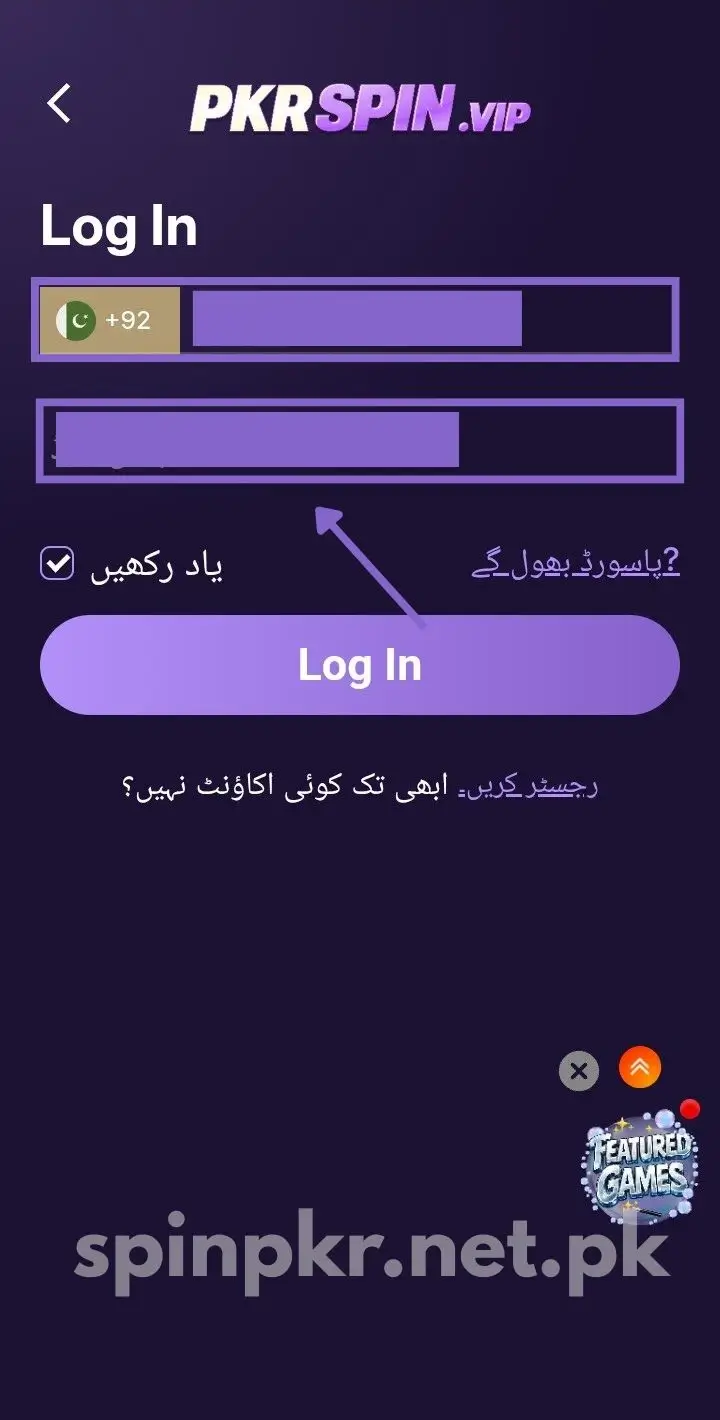
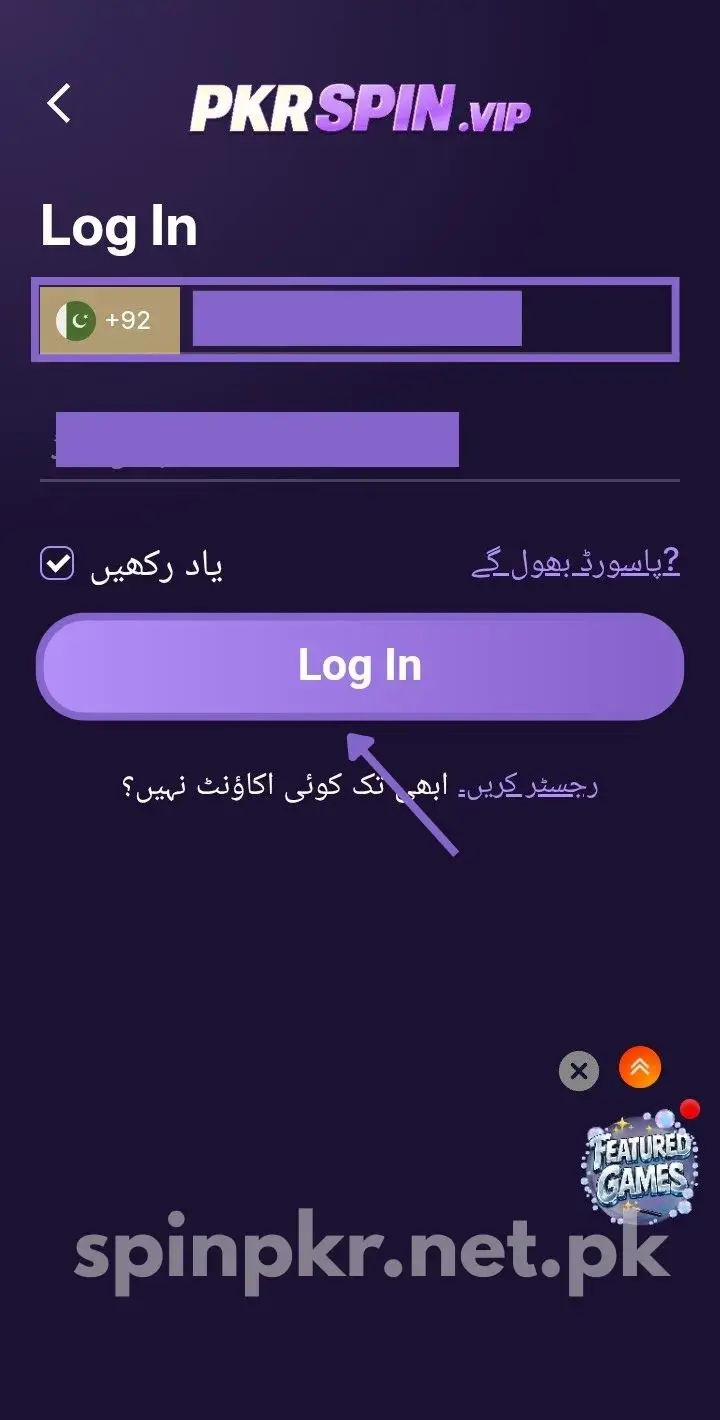
It’s quick, truthfully:
- Open the SpinPkr app, or load the site in a browser.
- Tap Login.
- Enter your registered mobile number (the one you signed up with).
- Type your password – or choose “Login with OTP” for an SMS code instead.
- Tap Login and your dashboard loads, ready to play.
No account yet? Get going on the registration page.
Forgot Your Password? No Stress
It’s a common one. Here’s how to get back in:
- Tap “Forgot Password” on the sign-in screen.
- Enter your registered mobile number.
- Verify the OTP sent to your number by SMS.
- Set a new strong password and save it somewhere safe.
- Log in again with the fresh one.
If the code takes its time, wait a minute before asking for a new one.
Login and Transaction Passwords
One thing many new players miss – SpinPkr uses two separate passwords:
- Login password – gets you into your account.
- Transaction password – confirms withdrawals, keeping your money protected.
Keep them different, and never share either with anyone – not even support.
Logging In on PC and iPhone
Not on Android? That’s fine – there’s no native iOS app, but the browser version covers you:
- Open the browser version on your PC or iPhone.
- Sign in the same way with your number and password.
- Use deposits and withdrawals there too – they work in the browser.
Whatever the device, your account, balance, and bonuses stay identical. Just use the same registered number every time.
When Login Won’t Work
Stuck at the login screen? It’s usually one of these, and each is a quick fix:
- Wrong password – check caps lock and try again; if you changed it lately, use the new one.
- OTP not arriving – weak signal or delayed SMS is the usual cause. Switch networks, wait a minute, and resend.
- OTP asked again and again – update to the latest app version and switch your internet connection.
- App crashes on login – clear the app cache, update the app, or reinstall.
- Forgot your number – if your registered number is no longer active, contact support to recover the account.
- Still stuck? – reach the 24/7 in-app support chat; they sort login trouble quickly.
Changing Your Registered Number
Your mobile number is your permanent login ID, so it isn’t something you can swap yourself:
- If you need to change it – a lost SIM, say – contact customer support through the in-app chat.
- Verify your identity when they ask.
- They’ll update it safely and guide you through the rest.
A Few Login Tips
A few simple habits keep things running smoothly:
- Store your password somewhere secure – phone notes or a diary work fine.
- Steer clear of public WiFi for login, especially before a deposit or withdrawal.
- Make sure you’re on the genuine app or site, not a lookalike.
- Log out once you’re done on any shared device.
Keeping Your Account Safe
Real money sits in this account, so guard it:
- Pick a strong password – letters, numbers, and a symbol – and don’t recycle one from elsewhere.
- Never share your number, password, or OTP with anyone, even a message claiming to be support.
- Remember the genuine team never asks – and since every account action needs OTP verification, one leaked code is all a scammer requires.
Last Word
Get the details right and SpinPkr opens in seconds. And if the password escapes you, resetting it is a one-minute job.
Caught on something else? In-app chat support runs all day. Don’t have the app yet? Get it from the download page.
FAQs
What do I need to log in to SpinPkr?
Only your registered mobile number and password. Prefer a code by SMS? OTP login does that too.
Can I log in without my phone number?
No. Your mobile number is your login ID, so you’ll need the one you registered with.
Why isn’t my OTP arriving?
Usually it’s a weak signal or delayed SMS. Check your number, switch networks, and request the code again after a minute.
Why does the app keep asking for OTP again and again?
This happens with weak signals, slow SMS, or an outdated app. Switch your internet and update to the latest version.
I forgot my password – how do I reset it?
Tap “Forgot Password” on the sign-in screen, enter your registered number, verify the OTP, and set a new password.
What if I change my phone or lose my device?
Install SpinPkr again and sign in with the same registered number. You can recover your account through verification.
Can I change my registered mobile number?
Not yourself. Contact customer support through the in-app chat and they’ll help you update it safely.
What’s the difference between login and transaction password?
The login password gets you into your account. The transaction password is separate and protects your money when you withdraw.
Can I log in on iPhone or PC?
Yes. There’s no native iOS app, but the browser version handles full login and play on both iPhone and PC.
Is it safe to log in on public WiFi?
Everything’s encrypted, but it’s wiser to skip public WiFi for login – particularly around a deposit or withdrawal. Mobile data is safer.